Wrangle Your Receipts in 2016

As seen on Huffington Post

Every time you go shopping, do groceries and pay for parking your wallet tends to increase in size.  Unfortunately this is not because it’s getting filled with cash, it’s those pesky paper receipts.  You finally get so fed up that you rip them all out of there and either throw them out or shove them into a drawer somewhere.  But what if there was a better way?  Most of us tend to have some kind of filing system in place for the important paperwork but receipts from everyday purchases tend to get overlooked. Well, those days are over, so let’s push those papers into the spotlight today.

Do I need to keep this?

First of all, I am not an accountant and everyone’s situation is different so check with your provincial/federal guidelines for the important stuff that you may need for tax purposes.   That’s a whole other blog post and we’re going to focus on the easy stuff today.

Gas, restaurant and grocery receipts don’t need a very long life in your wallet, or anywhere for that matter.  As long as you’re a person and not a business they can go pretty quick.  The old rule of thumb used to be to keep them until you reconcile them with your monthly bank statement and then shred them.  Most of us don’t get statements in the mail anymore, so take a few minutes every few days, or at the end of the week to log on to your on-line banking and check your transactions.  If you keep a spreadsheet with a monthly budget be sure to enter them in and then they can go.  A lot of on-line banking will let you generate pretty pie charts to see where your money is going, so even the monthly budget spreadsheet may not be necessary.

The only other thing I will say about grocery receipts is that sometimes food spoils even though it’s not expired or you got a bad apple or something and and you want a refund.  If that happens a lot to you, by all means, hold onto it for a few extra days.

Withdrawal slips and other bank transactions tend to fall into the same rules as gas and grocery.  Make sure it makes sense with your statement (be it paper or electronic) and then shred it.  Except for taking out cash (and I’m sure they’ll figure that one out eventually) most banking transactions can be completed on-line, so consider making the leap over if you haven’t already.  Anytime you can go paperless it’s a good thing and a lot of banks let you deposit cheques through an app.  No paper records to keep and all the details are at your disposal.  Can’t argue with that!

Clothes, shoes and electronics.  Anything with a guarantee or warrantee or that can possibly break you need to hang on to until that guarantee expires.  Same thing applies to items you may need to return.  Honestly, most of the time you couldn’t pay me enough to make my kids try on clothes in the store, I would much rather buy 1 or 2 sizes that I think will fit them and return what doesn’t work.  Once you have worn the clothes or shoes you generally can’t return them anyway so keeping the receipt is pointless.  Hang onto it for a few weeks (assuming you began using the product) to ensure it’s not defective and then say goodbye to the receipt.

When should I do this?

If you’re short on time to go through your receipts, think about using some of that dead-time.  Waiting at the Dr’s office, the long line at the grocery store, watching a mindless tv show, parked in the car waiting for your friend that never shows up on time.  All great opportunities to take a minute to go through your wallet.  I like to keep a little plastic baggie in my purse for the receipts that need to be disposed of but I don’t want to throw in the garbage while I’m out.

Where should I store it?

With all that being said if you really like to keep these papers for longer but don’t have the space, or just don’t want the clutter, consider using an app.  I like using Wave (no affiliation), but there are tons of them out there.  These apps allow you to take a picture of the receipt (even the super long ones), categorize and edit them with the store name and the amount and then save them on-line.  This also helps if you want to see where your money is going or if you need to generate a report for your accountant.

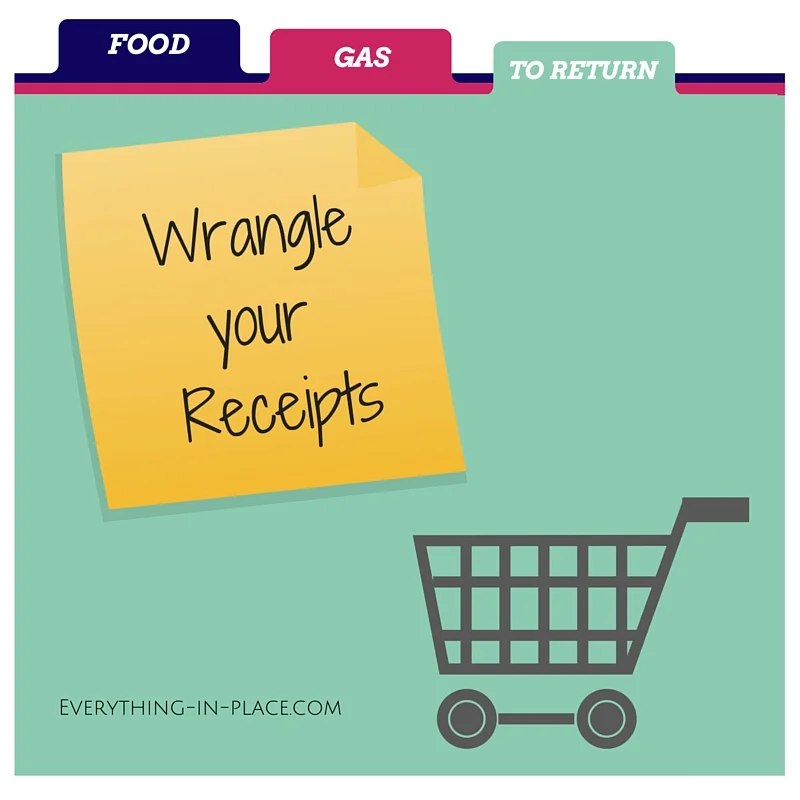
But Allison, you now say, what do I do with all the receipts I am keeping? They can’t just hang out in my wallet and I don’t want to put them into my filing system! Fear not readers, the answer is as simple as a coupon-sized expanding folder. These things are small, compact, have different sections and can easily be labelled to suit your needs.  You can pick them up at an office supply store or a lot of times, the Dollarstore .  My favorite category to make is the “possibly to return”, it’s like a holding zone for the things I’m not sure about.  Just make sure to go though it every few weeks and declutter.

Happy Organizing!​

Get Organized Now And Enjoy More Of Your 2016

As featured in Huffington Post Canada

January is GO Month.  For those of you not familiar with the Professional Organizing lingo, that means it’s time to Get Organized.  The beginning of a new year is a great time for a fresh start.  The holidays are over so you likely had a huge influx of new toys, books, clothes and gadgets.  What better time could there be to take stock of what you have and do a little decluttering?


Getting organized tends to make the top 10 list for New Year Resolutions again and again.  Being organized can help simplify your life, de-stress you and free up your time to do the things you really love.  I’m a busy mom of two young children (with another on the way) and I consider my time valuable.  Why would I waste my time looking for things?  It comes down to the fact that I love spending time with my family, seeing clients, organizing, writing and being creative.  Being organized allows me to do all of these things.  It means that I don’t waste 15 minutes every morning looking for my keys.  It means that I don’t buy the same product over and over again because I can’t find the first one.  It means that I can open a cupboard or closet without feeling overwhelmed by stuff.  It means freedom to live my life.

This doesn’t mean that my home and my life is perfectly neat at all times. Afterall I am a busy, working mom whose mental “to do” list is as long as anyone else’s.  It does mean that there are things that I do (more or less without fail) that help me and my family to stay organized.

Don’t Procrastinate

I know this is easier said than done, but putting off all of the little things adds up to a big mess very fast.  Of course it’s quicker to throw your clothes on the floor instead of putting them in the laundry bin.  Of course it will cause less conflict to let your kids leave a mess after they play instead of having them put their toys away. But putting off for later what really needs to be done now always comes back to bite you.  Try using Gretchen Rubin’s One-minute rule: If you have a task that can be done in less than 1 minute, do it without delay.  So go ahead and file that paper, pick up that toy, reply to that email and put that bowl in the dishwasher.  It’s not like you’re going to come back at the end of the day and regret that your counters are clear of dishes.  Don’t procrastinate.  Just do it.

Give Everything a Home

There is a reason I called my company “Everything in Place”. When an item has a designated “home” you know where to look for it and where to put it away. You don’t want to be searching through five drawers in three different rooms to find the tape you need to wrap a present when you’re running late for a party. Try to make this home make sense for how you use the item.  The more frequently you use something the more accessible it should be.  Your favorite cozy flannel sheets should be right at the front (preferable in cute bins divided and labelled by bed size!) but it’s okay to have all the guest bedding in a vacuum bag on the top shelf of the linen closet if you only use it a few times a year.


Declutter

Forget the yearly Spring Cleaning, declutter often.  Toys get broken, shirts get ratty, dishes get chipped.  There’s no need to wait until the “designated” time to take stock of what you have.  You don’t have to tackle everything at once. If you see something that needs to be dealt with look at it as a 10 minute opportunity for a project.  Did you find a holey sock while putting away laundry? Use it as a catalyst to empty your sock drawer and keep the ones you actually need and wear.  This doesn't mean you have to dive into your entire wardrobe, but having a neat, pared down drawer of socks is an easily accomplishable task that will put a smile on your face.

Live with Less

Minimalism isn’t for everyone. It isn’t even for me.  But I do like to dip my toe into the minimalist pool. Try not to buy and accumulate the items that aren’t necessary.  That new gadget for the kitchen that takes up counter space, the extra set of bath towels you just bought because they were on sale, that hot new book you want to read even though you already have a stack of unread ones next to your bed.  All unnecessary.  Less stuff  = less mess = more freedom.  A real trend I see with my clients is having a back-up of a back-up of a back-up.  While no one wants to run out of shampoo in the middle of a shower you also don't need 5 bottles in the bathroom.  Try using my 50% rule, when something is half full  it goes on your list.  This gives you enough time to find it on sale and you don’t need to stockpile it in your already full storage space.

Consult a Professional Organizer

I realize this is a bit self serving but hear me out.  If you wanted to know the best toothpaste to use for your cavity prone teeth you would speak to your dentist.  Questioning the most effective cream for your laugh lines will send you to your dermatologist.  Why not consult an organizer for the best way to get organized?  We have the resources, training and connections to set up a system that works for your lifestyle.  I realize that it may not be in everyone’s budget to have a Professional Organizer come in for hours but a lot of us will do either in-home or remote consultations and coaching at lower cost than in-home organizing sessions.  You can set a Skype call, give the organizer a tour of your space, discuss your needs and goals and we can come up with solutions that you can implement and work for you.  As long as you are prepared and motivated to do the work we will come up with the plan.  To find a Professional Organizer that suits your needs have a look at the Professional Organizers in Canada (POC) or National Association of Professional Organizers (NAPO) website or get in touch with me here.

Happy New Year and Happy Organizing!


Going Digital With My Calendar Changed Everything

As featured in Huffington Post & The Suburban

Call me crazy but the thought of losing my paper agenda has literally woken me up in the middle of the night.  How will I know what I have to do the next day? Which client I’m supposed to see? What time should I be there?  The fact that I had so much valuable information in one irreplaceable place had to stop.  I couldn’t take it anymore-- I had to go digital.


I have long been made fun of because of my reluctance move away from a paper agenda and onto a digital one.  Family, friends and clients want to make plans and I would have to say “wait, let me go grab my agenda”.  I would open it up and there would be scribbled notes everywhere (I have terrible handwriting) and different colored post-it notes bursting from the pages. Every night my husband would ask what my plan was for the next day, or if we had something going on that weekend.  Every time I would have to get up, locate my purse and find my agenda.  In the grand scheme of things it wasn’t that big a deal, but life is only getting busier and I knew something had to change.  

When I voiced how reluctant I was to get rid of my beloved paper agenda people would suggest making a digital copy. Write down everything on-line AND in the agenda.  I had visions of me going back and forth, computer to paper, did I write that down properly? Did I put that in the computer? Wait, let me check again just to be sure.  Ugh. That was not going to be my solution.  I had to be all in.  I had to dive into the digital world and not look back.  So I did.

I didn’t plan it  but I found myself with a few hours one afternoon and I decided to bite the bullet.  I opened up Google Calendar on my computer, downloaded the app onto my phone and got started.  Day by day, week, by week I began to transcribe what was once on paper onto the computer.  I was able to assign different colors to different categories (orange for organizing, purple for personal, green for financial stuff).  This was fun, I love to color code! I could even add notifications to remind me of events! Then I realized I could start organizing my next year. . . the paper agenda I had (that I bought because it was pretty) stopped in December 2015, but online I can go forever! I felt unstoppable! Our Mexico vacation in January, spring break, end of the school year; all of it was now in my calendar.  AMAZING.

I called my husband and told him what I had done, I invited him to the calendar and told him under no circumstances was he to sync his work calendar with mine (he has way too many meetings that I don’t care about).  All of the sudden it was 4pm and I had to go pick up the kids.  My agenda was on my desk where I had been transferring all the info into the computer.  As per my routine, I went to grab it and throw it in my purse before I left the house. Not this time. I don’t need it.  It’s all on my phone (which lets face it, in this digital age comes EVERYWHERE with me).  So I put my paper agenda in a drawer and headed out.  I wish I could tell you it was easy.  It wasn’t.  The first few days post-conversion I had that naked feeling, you know the one when you think you’re forgetting something important? I kept reaching into my purse for it.  But like any routine it just took a few days of conditioning and remembering (and some breathing exercises!) to retrain my brain.

I am proud to say that I am now two months post-transfer and couldn’t be happier.  I love having my schedule at my fingertips. I love that it’s backed up. I love that it syncs with my google maps and sends me these cute little dings about what time I should leave to get to my appointment on time.

I never thought I would; never thought I COULD, but I did it.  I made the switch, and if I can, trust me, you can do it too.  I’m not big on resolutions, but this one had been on my “to-do” list for a few years now.

So maybe it’s not “going digital” that you need to tackle, maybe there has been another item that has haunted you for a while.  I know it’s easier to keep putting it off (I certainly did) but chances are once it’s done and you’ve crossed it off your mental list you won’t regret it!

Good Luck & Happy (digital) Organizing!